color-picker
Powerful screen color picker based on Qt
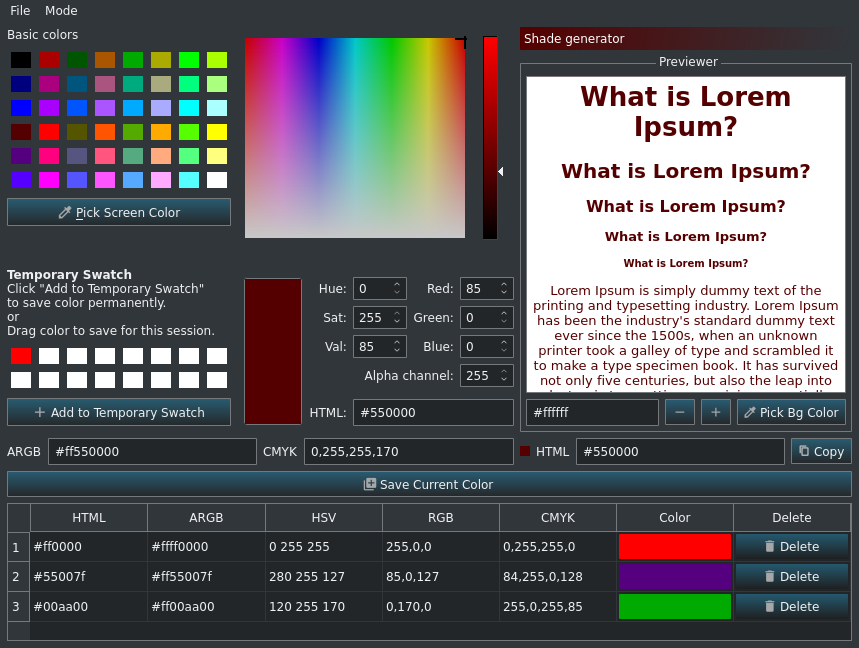
Colour picker and colour editor for web designers and digital artists, With Color Picker, identifying the colours, saving and editing is a quick and simple job.
Color Picker features include:
* Five formats of colour codes: HTML, HexRGBA, RGB, HSB/HSV, CMYK and their variations. Conversion of HTML, HEX and RGB colour codes into the corresponding colours.
* Colour picker for easy handling and greater precision.
* Colour list for saving and reusing the picked colour samples for each picked colour.
* Color preview widget
* Progressive color pattern generator
* Support Switching three themes - System theme, Flat Light theme and Dark theme.
Colour picker and colour editor for web designers and digital artists, With Color Picker, identifying the colours, saving and editing is a quick and simple job. . Color Picker features include: . Five formats of colour codes: HTML, HexRGBA, RGB, HSB/HSV, CMYK and their variations. Conversion of HTML, HEX and RGB colour codes into the corresponding colours. . Colour picker for easy handling and greater precision. . Colour list for saving and reusing the picked colour samples for each picked colour. . Support Switching three themes - System theme, Flat Light theme and Dark theme.
How to install color-picker in Ubuntu
If you are on a supported distro like Ubuntu, Linux Mint, elementary OS etc. you can install the application through software center by clicking the below link.
If the above link not working, run the below command in terminal to install color-picker in Ubuntu
sudo apt install color-picker
color-picker Screenshots